Made with a photographer’s eye.

I came to software through the viewfinder. Deciding what belongs in a frame turned into deciding what belongs on a screen: the hierarchy, the type, the color, the way a control should feel under your thumb.

UI design, graphic design and code are the craft. Swift, Metal, React, Figma, Photoshop and AI are tools on the same bench, and I pick up whichever one the work calls for. Every decision about how something looks and works is mine.

See how FaceLift came together

32 projects since January 2026: 13 built, 11 in progress, 8 on the shelf.

Built

  • AniLink

    Once Dawnload

    Paste a link from TikTok, Instagram, X, Threads or YouTube and save the photo or video. A Liquid Glass interface, and the app I have spent the most time refining.

    Mac + iPhone · Jan–Nov 2026

  • MediaHarvest

    One click collects every image and video on a web page.

    Safari + Chrome extension · Oct–Nov 2026

  • FaceLift Studio

    Once Lumina Studio

    A portrait retouching suite that carries one look across a whole shoot. The full story is further down this page.

    Mac + iPhone · Oct–Nov 2026

  • MetaStrip

    Removes hidden AI and location metadata from photos, wrapped in 156 themes and 161 icons.

    iPhone · Oct 2026

  • PK Convert

    Codename Weft

    Converts files like MKV video so they play on iPhone, with animated 3D themes.

    Mac · Oct 2026

  • EzMaker

    EzMaker Studio Pro

    A studio for generating images and video with open models, with a job queue, 90 themes and mini-games.

    Mac + iPhone · Oct 2026

  • Endless Photo

    Once Image Canvas

    An endless, zoomable canvas of a whole photo library, arranged by date, color or place.

    iPhone · Nov 2026

  • Composite

    Once Vidlag, then Playframe

    A collage, story and video editor with on-device and cloud image generation.

    iPhone, iPad + Mac · Oct 2026

  • TandemCam

    Once BothWays

    Records the 1x and 0.5x cameras at the same time in 4K60.

    iPhone · Nov 2026

  • PixelTrim

    Auto-crops black, white or transparent borders from images.

    Mac · Oct 2026

  • Gannon Photos

    Freeman Photography

    This site: a portfolio with a mountain parallax opening and a WebGL iris between photographs.

    Website · Sep 2026

  • Midjourney Dock App

    Midjourney as its own app in the Mac Dock, with no Discord required.

    Mac · Oct 2026

  • Little Mac Helpers

    Small utilities: a storage-warning alert, an icon guard, an image editing script and a local image launcher.

    Mac scripts · Oct 2026

In progress

  • Iconica

    Also Icon Atelier

    Builds app icons from vector shapes with glassy materials, then exports the full icon set.

    Mac + iPhone · Oct 2026

  • PocketEngine

    A painting app with a full studio layout, built on Swift and Metal.

    iPhone · Oct 2026

  • Prismatic

    Also LiquaLab

    A 3D particle and VFX studio for liquid metal, sand and morphing shapes, with a 39-page guide.

    iPhone · Oct 2026

  • Refine

    A photo retouch editor with brush masks, smoothing and filters.

    iPhone · Oct 2026

  • MOTIF

    A design studio for image prompts, with themes and “Image DNA”.

    iPhone · Oct 2026

  • PaintFrame

    Turns a photo into a painting and draws it on an iPhone, stroke by stroke.

    Drawing tool · Oct 2026

  • Orbital

    Also Orbital Control

    A glowing gradient-orb studio with physics, synth sounds, mini-games and a live wallpaper.

    Mac · Sep 2026

  • Looseleaf

    A notes app with rich text, lock effects, reminders and particle animations.

    iPhone · Sep 2026

  • Drawing App Prototype

    A premium drawing app designed in Figma Make and React.

    Prototype · Sep 2026

  • Audio Vault

    Once Local Music Hub, later SUNOVault

    An offline player for my own music, with a glassy interface and about 55 effects.

    Web, then iPhone · Jan–Feb 2026

  • WallpaperStudio

    A drawing and wallpaper app.

    iPhone · Sep 2026

On the shelf

  • HyperSketch

    Turns photos into art styles with local models.

    iPhone · Oct 2026

  • Shapeshot

    Turns photos of an object into a 3D model.

    iPhone + Mac · Sep 2026

  • SocialDeck

    Instagram, TikTok, Reddit and Threads side by side in one window, with Focus and Multitask views.

    Mac · Sep 2026

  • AniTracker

    Video object tracking and rotoscoping.

    Mac · Oct 2026

  • Gannon’s Theories

    A thoughts app that fact-checks ideas and maps them as a 3D constellation.

    iPhone · Oct 2026

  • Prompsicle

    A playful prompt-writing app.

    iPhone · Oct 2026

  • TouchAgent

    Remote control for an iPhone from the Mac: tap, swipe and screenshot from the command line.

    iPhone tool · Nov 2026

  • GannonCanvas

    PencilKit drawing with live Metal “motion pieces”.

    iPhone · Oct 2026

How I built FaceLift.

Evoto was giving me the premium portrait results I wanted. The price was way too much for me. I’d zoom in on a portrait and the skin still looked like skin. I needed that same care across a whole shoot, so I took matters into my own hands. At 5:59 one morning, I started designing a batch editor of my own.

Open the contact sheet
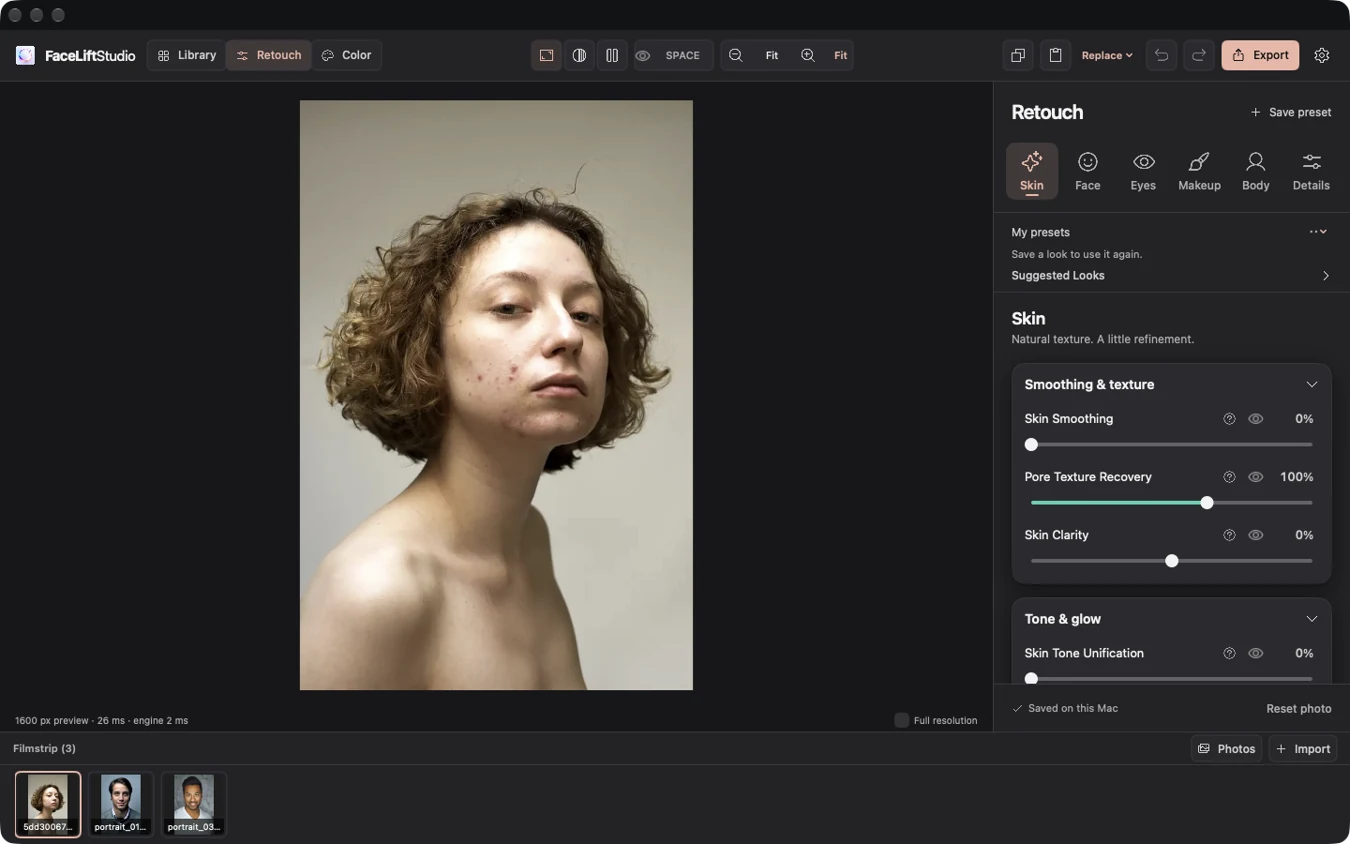
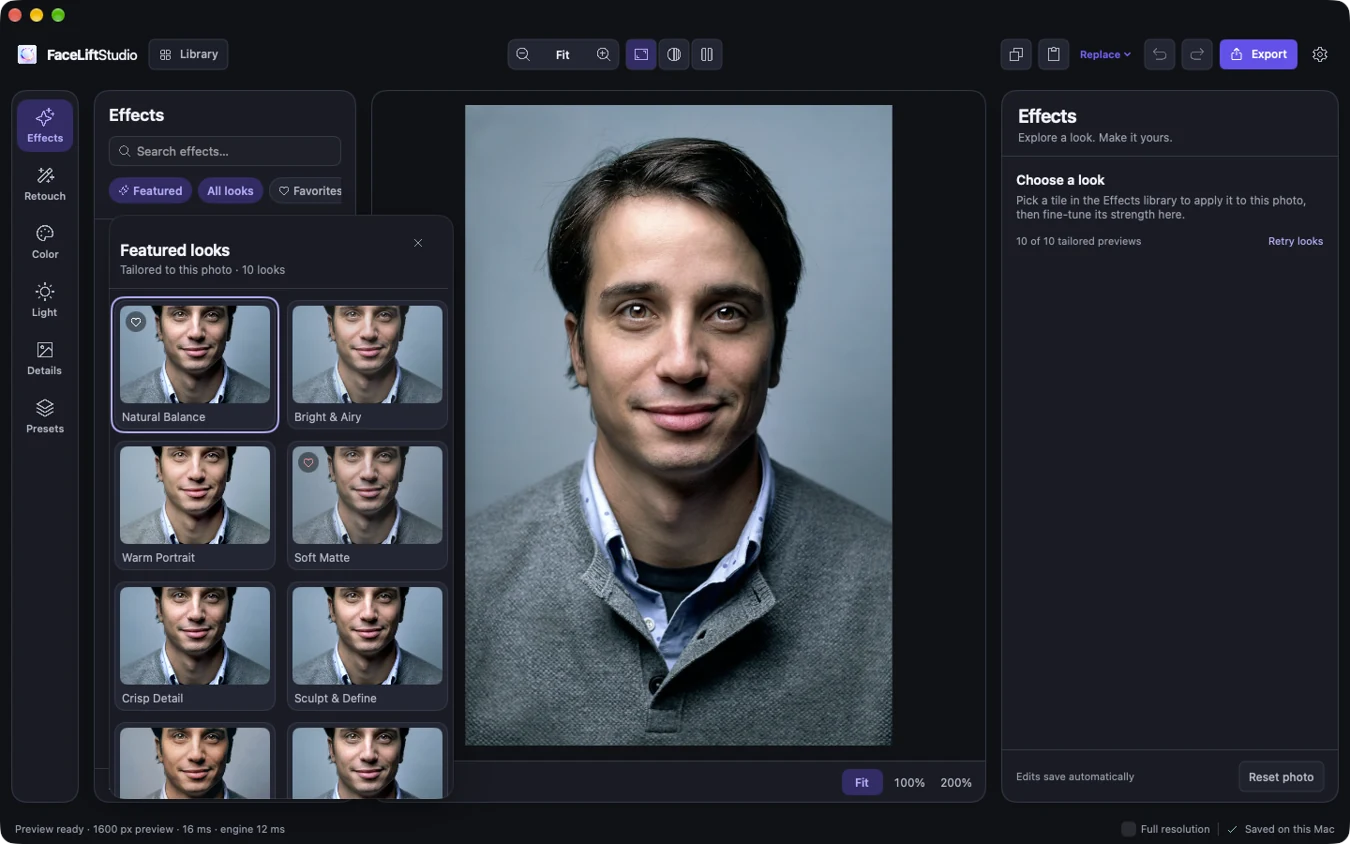
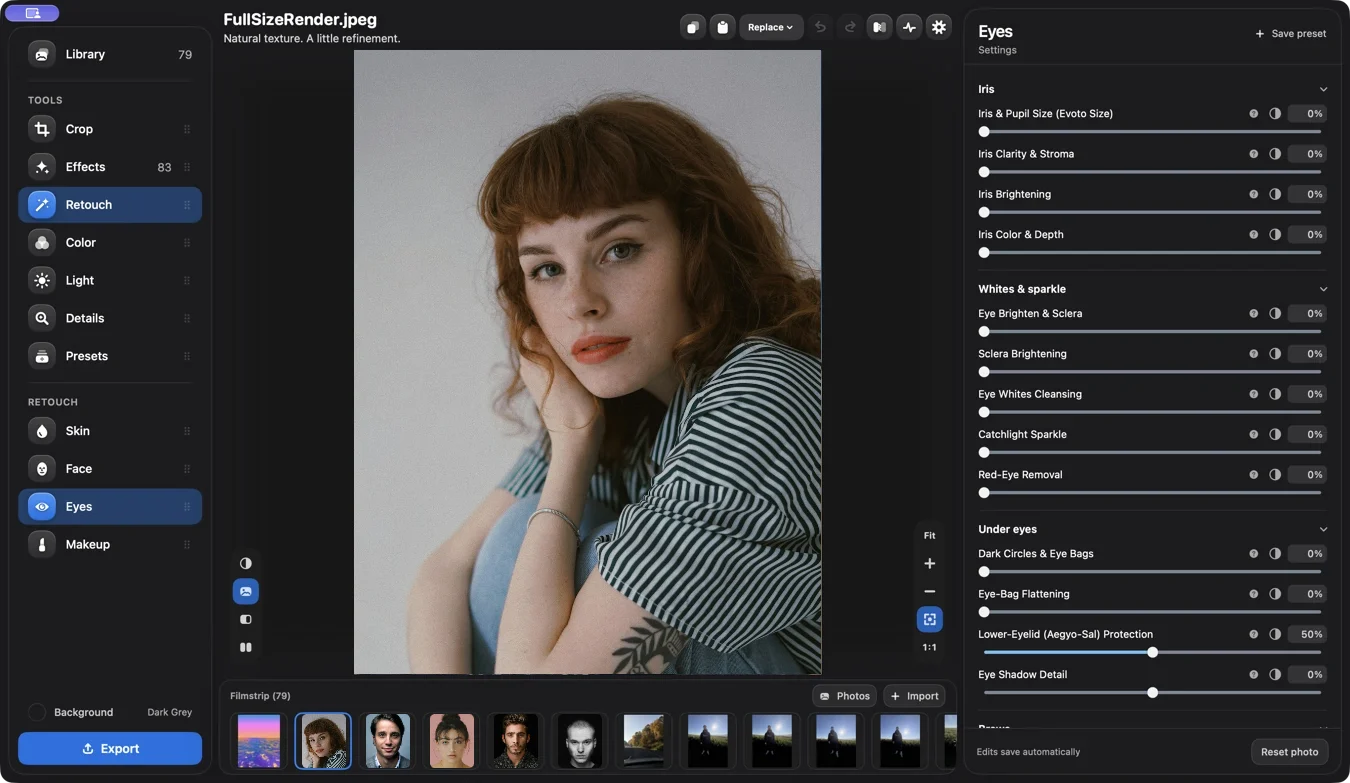
Lumina Studio, October 20
FaceLift’s October 25 workspace
FaceLift’s November 9 Mac editor

October 20 → November 9, 2026

18 minFirst brief to running in a browser

21Documented major UI changes

2Platforms · Mac and iPhone

Read the full timeline

First light

I was working on my photography site when I got stuck on a question about skin. How could a tool smooth a portrait and still leave real texture behind?

  1. A question about pores

    I started by looking into how Evoto handled acne and skin texture. By the next morning, I wanted a batch editor of my own.

  2. The first brief

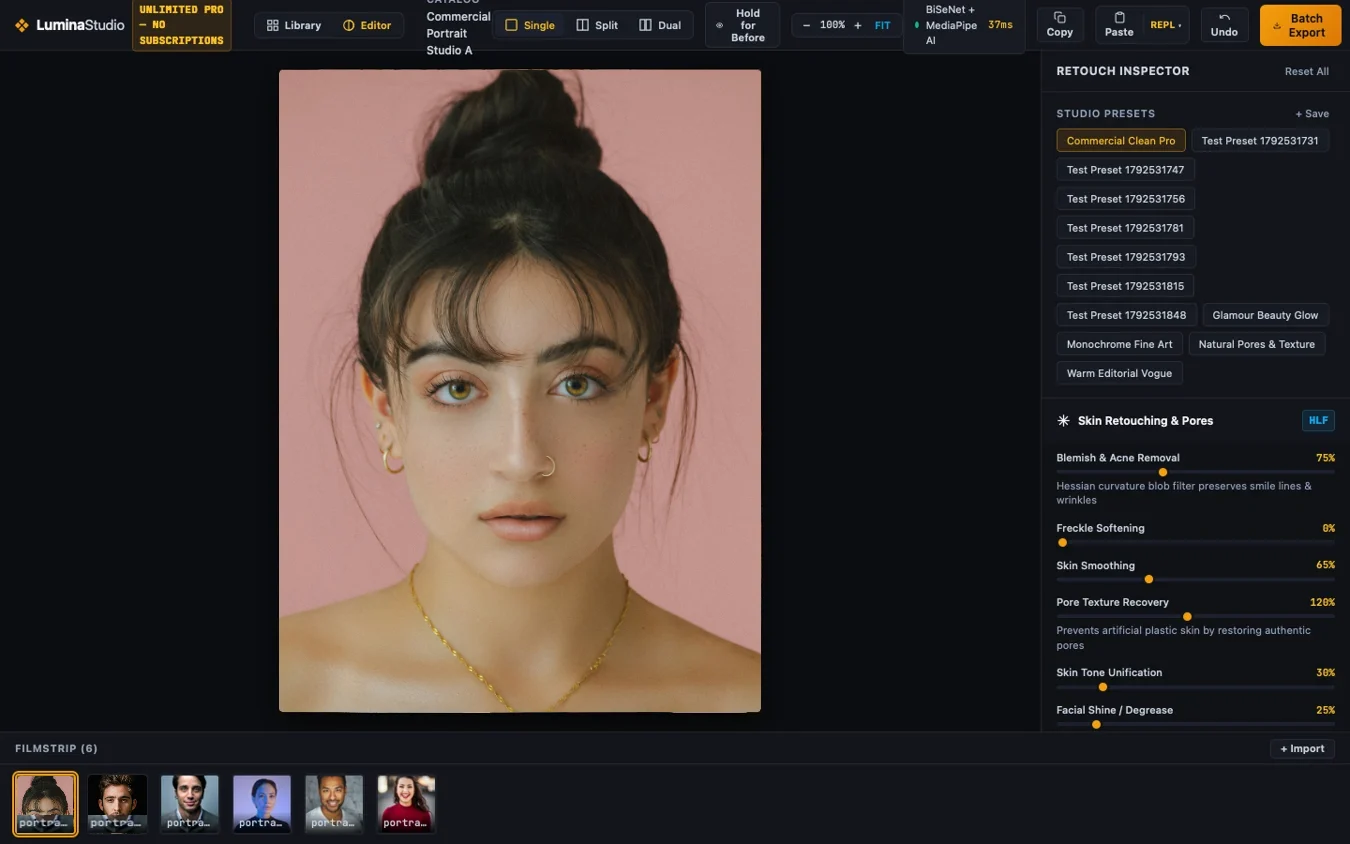
    The brief was one line: “my own high quality batch editor.” The first design file gave it a name: Lumina Studio.

  3. Open in the browser

    Eighteen minutes later the editor opened. Five minutes after that, I was back with a problem: the iris controls were missing the eyes.
FaceLift / Development roll01 / 05
Lumina Studio on October 20. This later first-day capture already has the filmstrip and recipe tools.

The close-up test

A slider could pass its tests and still leave a mark I could see. The mouth was where that difference became impossible to ignore.

  1. Gloss gets a sibling

    I wanted lip gloss and the tiny reflections on the brightest parts of a lip to move independently. Sheen became its own adjustment.

  2. One edit, a whole shoot

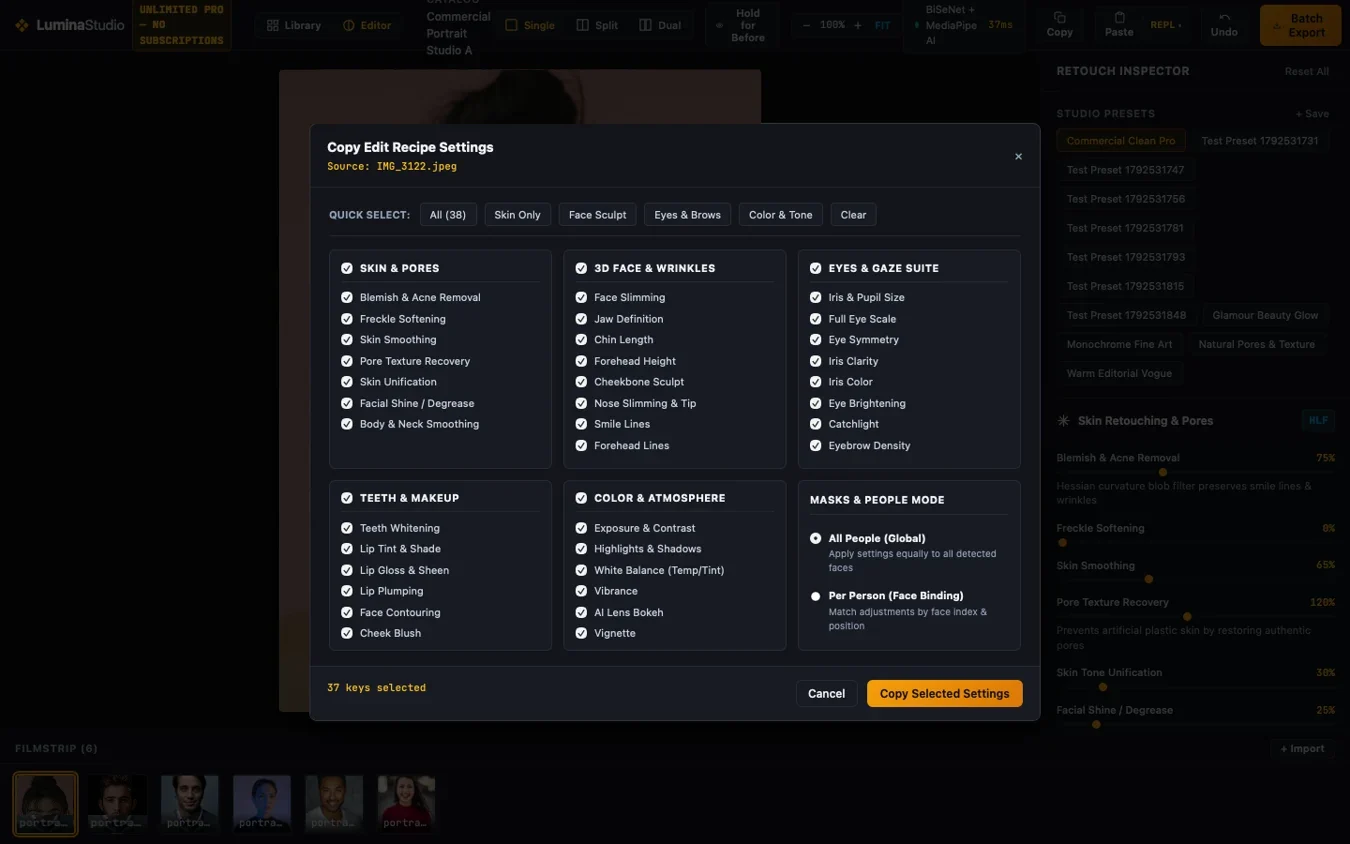
    Each photo kept its own recipe. I could copy the settings from one portrait and let each face supply its own mask, then hold Tab to peek at the original.

  3. Three tries at one mouth

    Versions 1.3.1, 1.3.2 and 1.4.0 tackled an angular lip edge, a dark crease and a pale patch. Vivid lipstick could still fool the repair.

FaceLift / Development roll02 / 05
The original Copy Settings dialog. I could choose exactly which adjustments to take to the next photo.

A contact sheet for looks

Picking a look used to mean trying it and undoing it. I wanted to see the choices on the portrait already in front of me.

  1. Ten ways to lay out a library

    I explored ten arrangements for the controls. A separate gallery picker offered six ways to arrange the photographs, including a filmstrip and a date-based timeline.

  2. The effects reach iPhone

    Brows, teeth, lip color, contour, blush and added freckles landed on the phone. Complexion palettes, hairline controls, lens blur and clothing adjustments followed.

  3. FaceLift gets its name and its shelf

    The shortened name landed. On Mac, a docked browser grew to 83 looks with thumbnails rendered on the open photo. A preview could be applied or canceled.

FaceLift / Development roll03 / 05
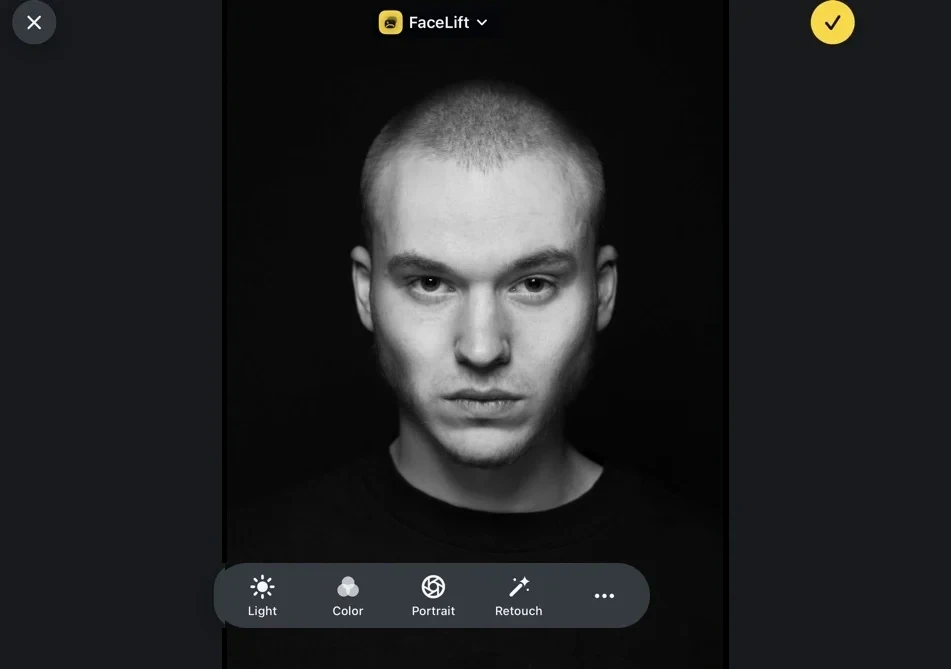
Mac workspace before the October 25 redesign.

Three detours on the phone

Atelier, Glow and Dual Orbit all made it into the iPhone project. For a while, changing the way you edited was a setting of its own.

  1. Touch the face

    The compact Duo editor came first. Atelier then put touch points directly on the face. Selecting one opened a ring of tools and a translucent rotary dial.

  2. Let the photo suggest a fix

    Glow marked suggested corrections on the portrait. Dual Orbit added another editor, and the folded controls took a turn as short vertical faders.

  3. Keep two ways in

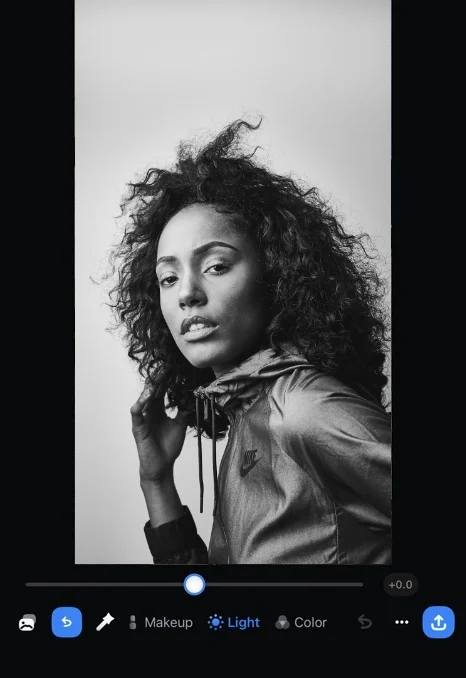
    I retired the three experiments. Simple View gave the photo more room. Full Editor kept the deeper controls. One continuous palette tied both together.

FaceLift / Development roll04 / 05
Simple View in a saved iPhone test.

One hair at a time

Beard Fill was the moment I could watch the effect grow. The last round was about where each hair started, how it curved, and what happened at the edge of a mustache.

  1. Keep the light

    HDR photos kept their gain maps on supported phone exports. On Mac, a glass workspace brought in the background picker and Photo Intelligence inspector.

  2. Grow the same hairs

    Procedural Beard Fill anchored curved strands to the face and sampled the person’s hair color. Added freckles got finer, denser pigment, and Reshape joined the phone editor.

  3. Give the photo room

    Swipe between photos, swipe down to the library, or hold one tool to compare its contribution. Six phone workflows alone left 30 numbered test rounds.

FaceLift / Development roll05 / 05
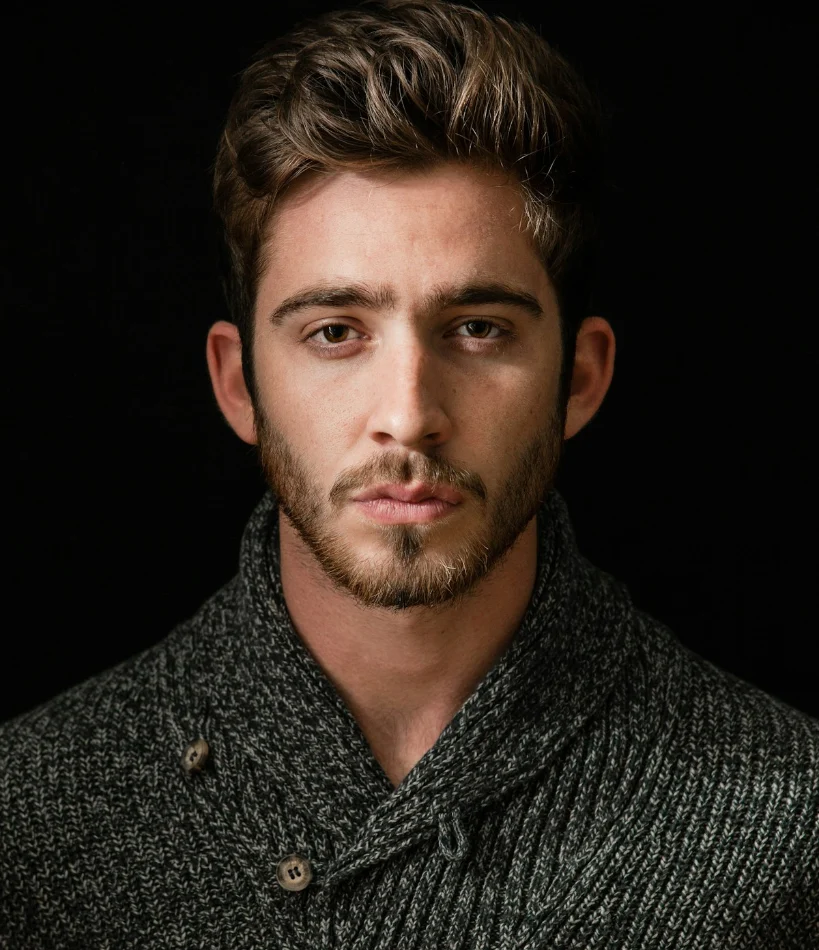
Stock portrait of a bearded man in a dark sweater.
A stock portrait stands in for my test photo.